When compiling multiple image files, photo archives, or scanned documents, finding a high-speed solution to convert jpg to pdf online without network lag is essential. Our online converter transforms JPG, JPEG, and PNG images completely free and instant without uploading files to remote cloud servers. Engineered with a zero upload client-side engine, your photo data stays 100% private in local RAM. Convert photo collections 10x faster directly inside your browser.
In high-volume digital workflows, saving image batches into unified PDF documents without upload queues eliminates time-wasting network bottlenecks. Understanding how WebAssembly compiles image rasters directly in device memory accelerates batch document exports for photographers, students, and legal professionals.
Eliminating Network Bottlenecks in Image PDF Compilation
Standard cloud converters force users to upload high-resolution image files across remote networks, causing three major performance bottlenecks:
- Bandwidth Latency: Uploading heavy photo sets consumes network bandwidth and creates conversion delays.
- Remote Processing Queues: Cloud conversion nodes queue requests during peak traffic, increasing total wait times.
- Privacy Vulnerabilities: Storing unencrypted personal photos on remote servers creates data leak risks in temporary directories.
The FixAPDF Browser-Side Processing Engine:
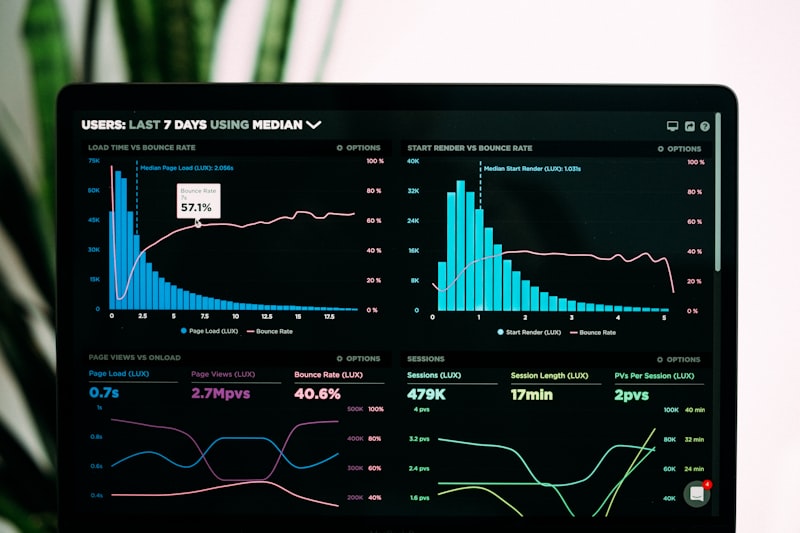
FixAPDF processes image compilation natively inside your device's active RAM. By leveraging WebAssembly and your computer's CPU, photo files convert in seconds with zero network latency.
Why Professionals and High-Volume Users Choose FixAPDF
Transitioning from server-dependent cloud processing to client-side WebAssembly offers distinct performance advantages:
1. Multi-Threaded Parallel Processing
FixAPDF utilizes browser Web Workers to process image resizing, orientation adjustment, and PDF compilation simultaneously, maximizing CPU efficiency.
2. Unlimited Batch Image Bundling
Convert dozens or hundreds of JPG photos into a single PDF without arbitrary file size limits or paywalls imposed by remote services.
| Performance Metric | Standard Cloud Converters | FixAPDF (Local Engine) |
|---|---|---|
| Conversion Speed | Slow (Bandwidth upload dependent) | Instantaneous (10x Faster via CPU) |
| Data Transmission | Mandatory upload to cloud servers | Zero Upload (Never leaves PC) |
| Batch File Limits | Restricted by tier caps | Unlimited (Uses local hardware RAM) |
| Privacy Status | Exposed on remote disks | 100% Private (Processed in local RAM) |
Zero-Knowledge Security for Sensitive Personal Photos
Whether you are archiving family photos, identity documents, or business receipts, image privacy is vital. Cloud converters leave temporary server logs on external networks.
FixAPDF operates on a strict zero-transfer framework. Your images stay strictly on your device, satisfying GDPR and personal data security requirements.
Integrated Multi-Tool Workflows After Conversion
Pair your JPG to PDF conversion with our suite of free browser utilities for complete document control:
- Convert PDF Back to JPG: Need to extract images from a document? Reverse the process with our PDF to JPG tool.
- Compress Converted PDF: Shrink final output file size for email attachments using our Compress PDF tool.
- Encrypt Output Files: Lock your newly generated PDF with a password using our Protect PDF tool.
- Combine Multiple Bundles: Merge several image PDFs into a single file with our Merge PDF tool.
- Split Large Archives: Separate multi-page image documents into individual files using our Split PDF tool.
- Reorder Document Pages: Adjust page sequence visually using our Organize PDF tool.
Frequently Asked Questions
Have questions about converting JPG images to PDF fast online? Read our clear answers below.
1. Is it safe to convert private JPG images and photo sets to PDF on FixAPDF?
Yes, 100% safe. Conversion happens locally inside your browser's active RAM using WebAssembly, ensuring your photos are never uploaded to any server.
2. How does FixAPDF achieve faster conversion speeds than cloud converters?
FixAPDF uses your computer's local hardware CPU directly in browser RAM, eliminating upload delays and cloud processing queues.
3. Can I convert multiple JPG images into a single multi-page PDF?
Yes! You can drop multiple images simultaneously and combine them into one structured PDF document instantly.
4. Will my photo resolution or image quality be reduced during conversion?
No. FixAPDF embeds full 100% native image resolution directly into the PDF without lossy downsampling.
5. Can I convert JPG photos to PDF on mobile devices (iPhone or Android)?
Yes. FixAPDF is fully responsive and compatible with modern mobile browsers across Android and iOS devices.
6. Does FixAPDF work without an active internet connection?
Yes! Once the webpage loads in your browser, you can disconnect Wi-Fi or mobile data and convert image files offline.
7. How do I reorder JPG images before generating the final PDF?
You can drag and drop uploaded image thumbnails in the workspace to arrange their exact page order prior to conversion.
8. Do I need to create an account or download desktop software?
No registration, sign-up, or software installation is required. Everything runs natively inside your web browser.
9. Is this JPG to PDF conversion utility completely free to use?
Yes, FixAPDF is 100% free with no hidden paywalls, usage limits, or watermarks added to saved documents.
10. What should I do if my converted PDF file size is too large for email?
You can easily shrink the file size of your newly converted PDF using our free Compress PDF tool.
Conclusion: Fast Compilation and Total Data Sovereignty
In conclusion, converting JPG images to PDF shouldn't be delayed by slow network uploads or server queues. Our specialized jpg to pdf tool delivers 10x processing speed with total local data security.
By executing file operations directly inside your browser memory, FixAPDF eliminates server leaks, upload waiting bars, and file size limits. Convert your JPG files today with instant, private local document processing!